The WordPress plugin directory now lists thousands of tools with “AI” somewhere in the name, and most site owners don’t have time to test them all. The good news: you don’t need thousands of AI plugins. You need maybe three or four, chosen for the specific jobs that eat the most time on your site — writing, SEO, support, and design.
This roundup skips the hype and groups the best AI plugins for WordPress in 2026 by what they actually automate, so you can pick based on your site type instead of chasing every tool with a robot icon.
Why Add AI Plugins to Your WordPress Stack
Three things changed recently that make this worth doing now rather than later. AI writing and image tools got noticeably better at matching a specific brand voice instead of sounding generic. Second, several of the plugins WordPress users already run — Rank Math, Yoast, Elementor, Akismet — quietly built AI features directly into tools people already trust, so there’s no new interface to learn. Third, hosting and server costs for running AI-assisted features dropped enough that most of these tools are affordable even for small sites.
None of that means AI should run unsupervised. Every category below still needs a human reviewing the output — the plugins are accelerants, not replacements.
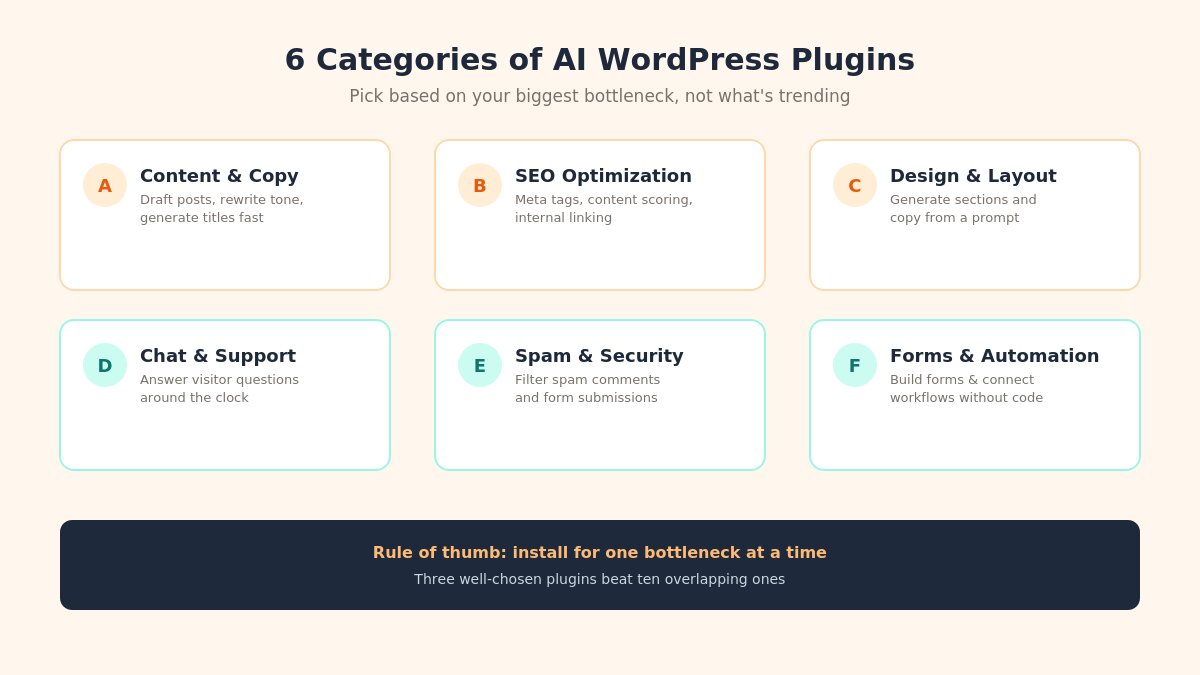
Six categories of AI WordPress plugins overview graphic
Content & Copywriting
Blank-page paralysis is the single biggest time sink for site owners who aren’t professional writers. Jetpack AI Assistant plugs directly into the WordPress block editor and can draft posts, rewrite paragraphs for tone, translate content, and generate titles from a short prompt — useful for getting a rough draft down fast, which you then edit into your own voice.
For product-heavy or eCommerce content, tools built specifically for bulk description writing (drafting dozens of product pages from a spec sheet) save far more time than writing each one by hand.
SEO & On-Page Optimization
If you already run Rank Math or Yoast, their built-in AI content tools are the easiest starting point — both now offer AI-assisted meta descriptions, title suggestions, and content scoring without leaving your existing SEO workflow.
Internal linking is the other place AI earns its keep. Link Whisper scans your published content and suggests relevant internal links automatically, a task that’s genuinely tedious to do manually once a site passes fifty or so posts — and internal linking remains one of the more reliable, controllable SEO levers you have.
Design & Page Building
Elementor AI and Divi AI both generate layout sections, copy, and images from a text prompt inside the page builder you’re likely already using. The realistic use case isn’t “build my whole site” — it’s generating a solid first draft of a section (a pricing table, an FAQ block, a hero layout) that you then adjust to match your brand, which is considerably faster than starting from a blank canvas or browsing a template library section by section.
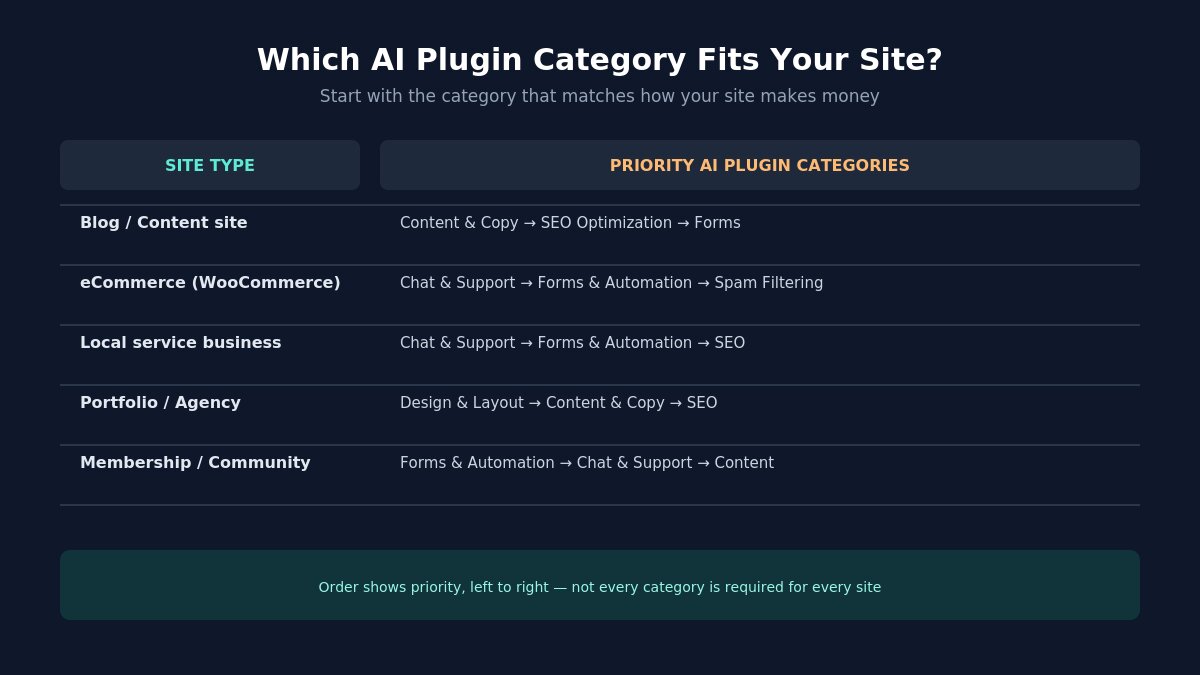
Which AI WordPress plugin to choose by site type comparison
Customer Support & Chat
Tidio and MxChat both bring AI-driven chat to WordPress and WooCommerce sites, capable of answering common questions from your own content and only escalating to a human when needed. For a small business, this is often the highest-ROI AI plugin on the list — live support without hiring for it, running around the clock.
Spam Filtering & Security
Less exciting than a chatbot, but arguably more valuable day to day: Akismet uses machine learning trained across millions of sites to filter spam comments and form submissions before they ever reach your inbox. If you’re still manually clearing spam comments, this alone is worth setting up.
Forms & Workflow Automation
Modern AI-assisted form builders like the one inside WPForms can turn a plain-language description (“a contact form with name, email, and a file upload”) into a working form in seconds instead of dragging fields one at a time. Uncanny Automator takes it further, connecting WordPress actions (a new order, a form submission, a new user) to automated follow-up steps — emails, Slack notifications, CRM updates — without custom code.
How to Choose the Right AI Plugins for Your Site
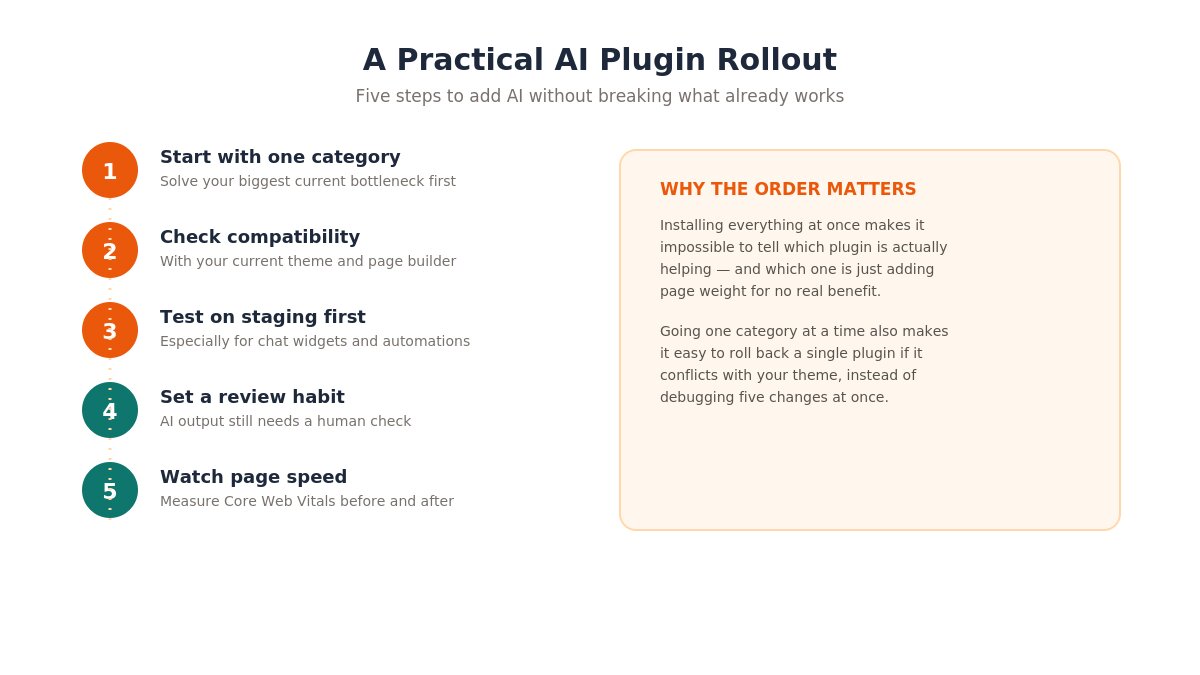
WordPress AI plugin setup and safety checklist
Don’t install everything on this list at once. A practical rollout looks like this:
Start with one category that solves your biggest current bottleneck — usually content or support.
Check compatibility with your existing theme and page builder before activating.
Test on a staging site if you’re not confident about how it will behave with your specific setup.
Set a review habit. AI-generated content and auto-replies still need a human check, especially early on.
Watch page speed. Some AI plugins load additional scripts — measure before and after activating.
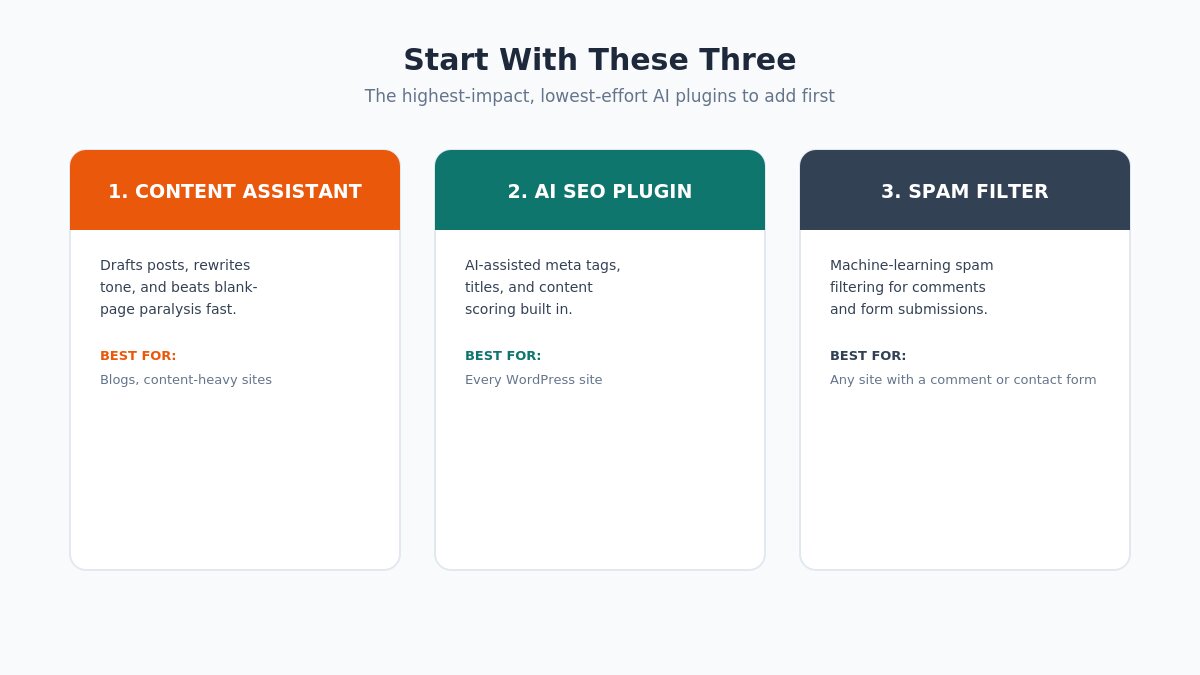
Three AI WordPress plugins to install first summary graphic
If you only add three things this month, a content assistant, an AI-enhanced SEO plugin, and a spam filter will cover the widest range of everyday tasks with the least setup effort — everything else on this list is worth adding once those three are actually in use.
Frequently Asked Questions
Do AI WordPress plugins slow down my site?
Some can, particularly chat widgets and design tools that load extra JavaScript. Check your page speed before and after activating any new plugin, and look for options to lazy-load chat widgets.
Can I use more than one AI plugin at a time?
Yes, and most site owners end up running two or three — commonly one for SEO, one for support, and one for content or design. Just avoid overlapping tools that do the same job, since that adds cost and page weight without added benefit.
Is AI-generated content safe to publish as-is?
Treat AI output as a first draft, not a final one. Search engines and readers both respond better to content that’s been fact-checked and edited into your actual voice.
Final Thought
The best AI plugin for your WordPress site isn’t whichever one is trending — it’s whichever one removes the task you personally dread doing most. Start there, measure the time it actually saves, and expand from a position of evidence rather than hype.
Ready to pair these tools with a theme built for speed and easy customization? Browse our WordPress themes to get started.
We're a Digital Team from EngineTemplate with 5 content experts. Our team has 5 years exp in open source Joomla and WordPress, we make daily blogs and build useful resources for everyone who is having issues with open source while using it.
 ET Digital Team