We want to share with you some useful solution that you can do to deal with the problem when you hosting or server difficulties using Elementor. Follow it!
Step 1: Open the WordPress Dashboard
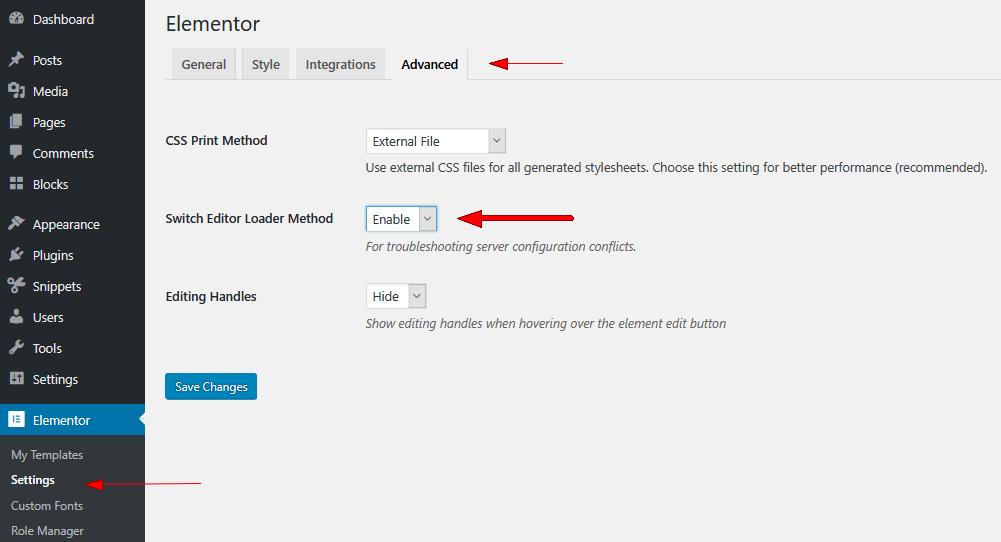
Step 2: Switch on Elementor > Settings > Advanced
Step 3: In the Advanced tab, choose to Enable mode next to the Switch front-end editor loader method
Step 4: Click Save Changes
CONCLUSION
If you have any question, please leave a comment below, we will reply as soon as possible. Don’t forget to share this article with your friends.
We're a Digital Team from EngineTemplate with 5 content experts. Our team has 5 years exp in open source Joomla and WordPress, we make daily blogs and build useful resources for everyone who is having issues with open source while using it.
 ET Digital Team